

Is Your Sick Child Breathing Okay? How to Use an Apple Watch for Overnight Sickness Tracking
What an Apple Watch actually can (and can't) tell you about a sick child's breathing overnight, and how to set one up on a child's wrist correctly.
At a glance: Apple Watch
Pros
- + Tracks wrist temperature trends overnight to spot when a fever spiked or broke
- + Flags an elevated respiratory rate as an "Outlier" during congestion or illness
- + Shows resting heart rate trends tied to fever, right in the morning summary
- + Older models work identically to the newest ones for this purpose - no need to buy the latest release
Cons
- − Not designed or cleared to detect pediatric sleep apnea - adults only
- − Needs about 7 nights of wear to establish a baseline before Vitals data is meaningful
- − Blood oxygen (SpO2) sensor disabled on new US units sold since January 2024 (older/international models unaffected)
- − Needs a snug, child-sized band and consistent skin contact for accurate readings
This article is informational, not medical advice. If you suspect your child has sleep apnea or a serious breathing problem, contact a pediatrician - don't rely on consumer wearables for diagnosis.
Every parent knows the anxiety of checking on a sick child in the middle of the night. When kids contract respiratory viruses, suffer from cold-induced congestion, or face disrupted sleep patterns, we instantly wonder: is their breathing normal?
With modern health tech dominating the market, it is natural to ask if the Apple Watch sitting on your nightstand can help ease your mind. This article explores how to use an Apple Watch to track your child's sleep quality and respiratory trends during a bout of illness, while clearing up major misconceptions about pediatric sleep apnea.
Can Apple Watch Detect Pediatric Sleep Apnea?
The direct answer is no. While models like the Apple Watch Series 10 and Ultra 2 feature highly publicized Sleep Apnea Notifications, this feature is cleared for adults aged 18 and older, not children.
The algorithms on the Apple Watch look for "Breathing Disturbances" using an accelerometer to track minute wrist movements over multiple weeks. This baseline data is mapped onto adult respiratory models. Because children have different resting respiratory rates and shifting skeletal structures, the native sleep apnea feature is not designed to detect pediatric sleep apnea in kids.
If you suspect your child has sleep apnea (evidenced by loud snoring, mouth breathing, or nighttime gasping), talk to a pediatrician about a formal clinical sleep study.
How to Use the Apple Watch Vitals App for Fevers
Even though the Apple Watch cannot diagnose sleep apnea in children, it remains a useful tool for monitoring a sick child's overnight trends through the native Vitals app, which compiles several biometrics while a user sleeps:
Wrist temperature tracking: the watch monitors skin temperature fluctuations against an established baseline, so you can see roughly when a fever spiked or broke overnight in the Health app.
Respiratory rate: the Vitals app tracks breaths per minute. If a child is congested, their breathing rate will typically elevate, and the watch may flag this as an "Outlier."
Resting heart rate: elevated temperature tends to drive up heart rate - the morning summary shows how elevated it stayed overnight.
Note: the Vitals app needs skin contact and roughly 7 nights of wear to establish a "typical" baseline before its readings are meaningful.
Tracking Oxygen Trends with the AutoSleep App
For parents wanting more granular sleep tracking than the built-in summary, the third-party AutoSleep app organizes blood oxygen (SpO2) and sleep-stage data into color-coded timelines - useful for spotting the exact timing of overnight awakenings from coughing fits, or dips relative to a child's baseline.
Hardware note: due to a regulatory dispute, blood oxygen tracking was disabled on Apple Watches sold new in the United States starting January 2024. Older US models (Series 6 through 9, purchased before then) and international models are unaffected. Worth confirming current status for your specific watch before relying on this feature.
3 Rules to Make an Adult Watch Fit a Child's Wrist
1. Swap the band: a standard adult band is too loose on a child's wrist, and a loose watch creates air gaps that block the optical sensors from reading pulse or skin temperature accurately. A small, adjustable sport band that pulls snug is worth the few extra dollars.
2. Turn on Sleep Focus: so the screen doesn't light up or vibrate from notifications and wake an already-restless child.
3. Charge strategically: aim for at least 30% battery before bedtime - a quick charge during dinner or bath time is usually enough.
Sourcing the Best Deals on Smartwatches
You don't need the latest flagship model to track overnight wellness metrics - older models carry the same wrist temperature and respiratory sensors needed for sickness tracking, often at a meaningfully lower price.
Every parent knows the anxiety of checking on a sick child in the middle of the night. When kids contract respiratory viruses, suffer from cold-induced congestion, or face disrupted sleep patterns, we instantly wonder: is their breathing normal?
With modern health tech dominating the market, it is natural to ask if the Apple Watch sitting on your nightstand can help ease your mind. This article explores how to use an Apple Watch to track your child's sleep quality and respiratory trends during a bout of illness, while clearing up major misconceptions about pediatric sleep apnea.
Can Apple Watch Detect Pediatric Sleep Apnea?
The direct answer is no. While models like the Apple Watch Series 10 and Ultra 2 feature highly publicized Sleep Apnea Notifications, this feature is cleared for adults aged 18 and older, not children.
The algorithms on the Apple Watch look for "Breathing Disturbances" using an accelerometer to track minute wrist movements over multiple weeks. This baseline data is mapped onto adult respiratory models. Because children have different resting respiratory rates and shifting skeletal structures, the native sleep apnea feature is not designed to detect pediatric sleep apnea in kids.
If you suspect your child has sleep apnea (evidenced by loud snoring, mouth breathing, or nighttime gasping), talk to a pediatrician about a formal clinical sleep study.
How to Use the Apple Watch Vitals App for Fevers
Even though the Apple Watch cannot diagnose sleep apnea in children, it remains a useful tool for monitoring a sick child's overnight trends through the native Vitals app, which compiles several biometrics while a user sleeps:
Wrist temperature tracking: the watch monitors skin temperature fluctuations against an established baseline, so you can see roughly when a fever spiked or broke overnight in the Health app.
Respiratory rate: the Vitals app tracks breaths per minute. If a child is congested, their breathing rate will typically elevate, and the watch may flag this as an "Outlier."
Resting heart rate: elevated temperature tends to drive up heart rate - the morning summary shows how elevated it stayed overnight.
Note: the Vitals app needs skin contact and roughly 7 nights of wear to establish a "typical" baseline before its readings are meaningful.
Tracking Oxygen Trends with the AutoSleep App
For parents wanting more granular sleep tracking than the built-in summary, the third-party AutoSleep app organizes blood oxygen (SpO2) and sleep-stage data into color-coded timelines - useful for spotting the exact timing of overnight awakenings from coughing fits, or dips relative to a child's baseline.
Hardware note: due to a regulatory dispute, blood oxygen tracking was disabled on Apple Watches sold new in the United States starting January 2024. Older US models (Series 6 through 9, purchased before then) and international models are unaffected. Worth confirming current status for your specific watch before relying on this feature.
3 Rules to Make an Adult Watch Fit a Child's Wrist
1. Swap the band: a standard adult band is too loose on a child's wrist, and a loose watch creates air gaps that block the optical sensors from reading pulse or skin temperature accurately. A small, adjustable sport band that pulls snug is worth the few extra dollars.
2. Turn on Sleep Focus: so the screen doesn't light up or vibrate from notifications and wake an already-restless child.
3. Charge strategically: aim for at least 30% battery before bedtime - a quick charge during dinner or bath time is usually enough.
Sourcing the Best Deals on Smartwatches
You don't need the latest flagship model to track overnight wellness metrics - older models carry the same wrist temperature and respiratory sensors needed for sickness tracking, often at a meaningfully lower price.
Quick-reference deal directory
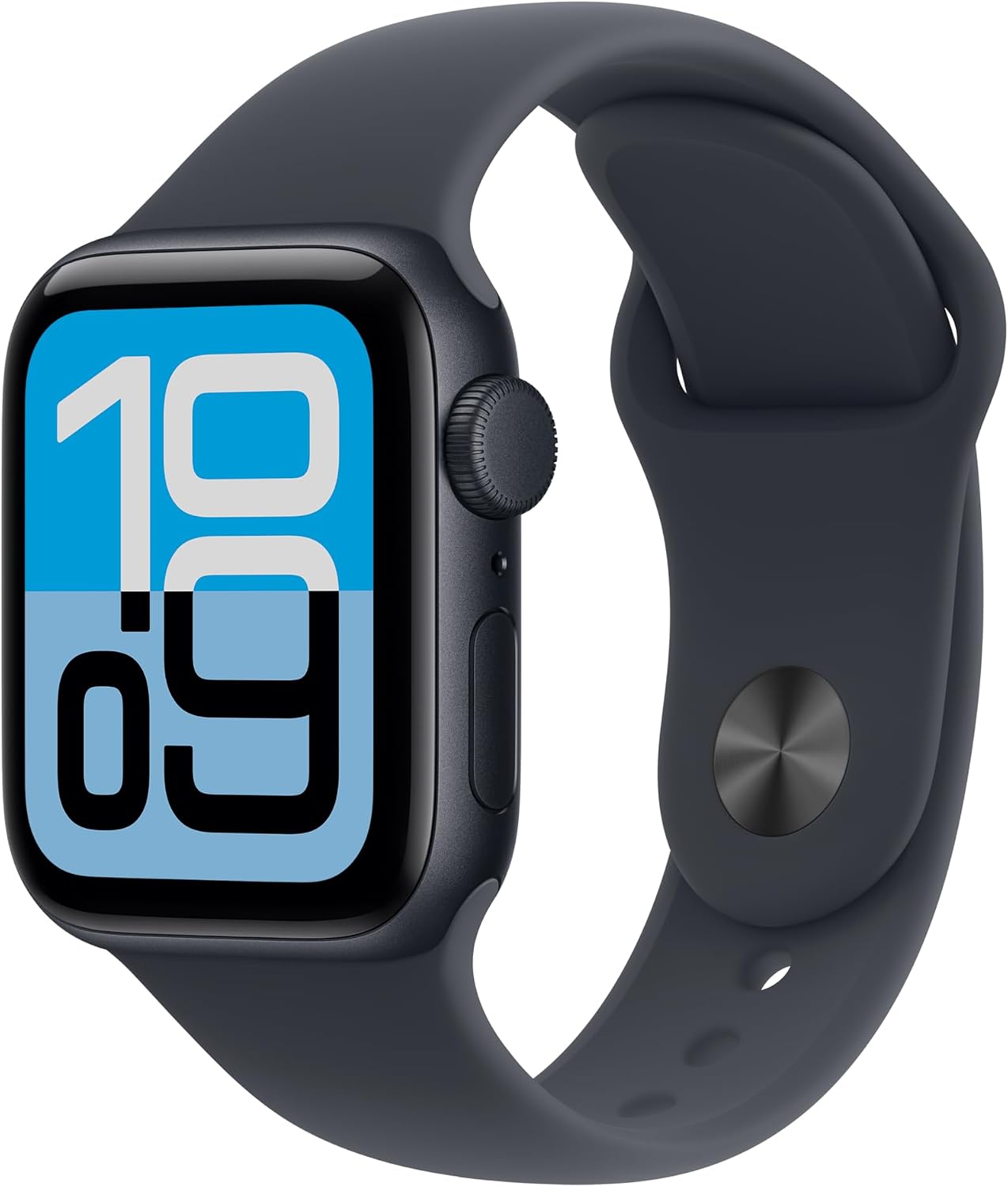
Apple Watch SE 3 (40mm)
Budget-friendly option with wrist temperature and Vitals tracking
Apple Watch Series 11 (42mm)
Latest model, same overnight health sensors
Sunnywoo Magnetic Sport Band
A snug, adjustable band to properly fit a child's wrist
Firsting Multi-Charging Cable
Keep the watch topped up for overnight tracking
Smartwatches & Wearables deals
Smartwatches & Wearables
at Amazon
Apple Watch SE 3 GPS 40mm Smartwatch with Midnight Aluminum Case with Midnight Sport Band
$219.00
Details
Posted 3 months ago
via TechBargains
Rated 1/5

Smartwatches & Wearables
at Amazon
Fossil Men's 44mm Minimalist Quartz Stainless Steel Watch
$86.95
Details
Posted 3 months ago
via TechBargains
Rated 2/5

Smartwatches & Wearables
at Amazon
Apple Watch Series 11 42mm GPS Smartwatch from $299 | 46mm
$329.00
Details
Posted 3 months ago
via TechBargains
Rated 2/5

Smartwatches & Wearables
at Amazon
Timex 38mm Men's Easy Reader Water Resistant Watch
$22.50
Details
Posted 3 months ago
via TechBargains
Rated 1/5

Smartwatches & Wearables
at Amazon
Samsung Galaxy Watch 9 40mm Bluetooth Smartwatch + $50 Gift Card
$379.99
Details
Posted 3 months ago
via TechBargains
Rated 2/5

Smartwatches & Wearables
at Amazon
Samsung Galaxy Watch Ultra2 47mm Bluetooth LTE Smartwatch + $100 Gift Card
$699.99
Details
Posted 3 months ago
via TechBargains
Rated 3/5